Mysteries of Telegram DC

Telegram claims to have 5 data centers (DCs), referred to as DC1~5 in Telegram’s code and documentation. Among them, DC1 and DC3 are located in Miami, USA; DC2 and DC4 are in Amsterdam, Netherlands; and DC5 is in Singapore.

Telegram’s operation status

Each account is associated with a DC upon registration and does not change with the user’s phone number or geographic location. Users cannot freely choose a DC—if connected to the wrong DC, the server returns an error message, requiring the client to connect to the correct DC associated with the account.

Continue reading “Mysteries of Telegram DC”

Optimizing my Surface Pro 8

Windows 11 has significantly improved the touchscreen experience and added support for native Android emulation, making me want to try a touch-enabled Windows 2-in-1 device again. Coinciding with the release of the Surface Pro 8, this model ditches the 6-year-old thick-bezel design, featuring a 13” 120Hz high-refresh-rate screen and Intel’s most powerful integrated graphics, Iris Xe. Taking advantage of post-launch discounts that reduced some of the premium pricing, I decided to take the plunge and buy one.

Overall, I’m fairly satisfied with the device, but as expected from a Microsoft product, there are still some minor issues. However, as a Windows machine, software-related problems are often fixable with some hands-on effort.

Continue reading “Optimizing my Surface Pro 8”

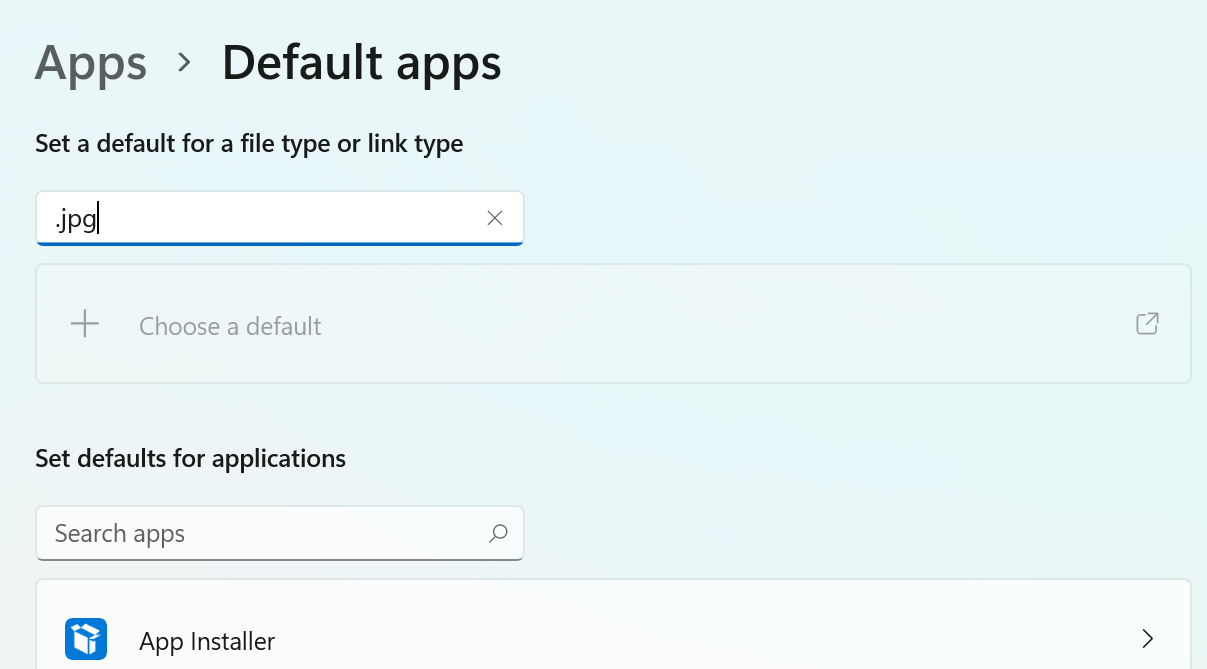
Fix for Windows 11 Unable to Change Default File Opening Method

I encountered a strange issue recently—after upgrading to Windows 11, the option to change the default opening method for formats like .jpg, .png, etc., in the settings became grayed out and unusable. It was impossible to change the default image viewer, forcing the use of Windows’ default Photos app.

However, on another Windows 11 computer, this issue didn’t exist. After comparing the registry, I found that it wasn’t a Windows bug but rather a restriction intentionally added to the registry by a third-party image viewer when setting the default opening method (possibly to avoid bugs in older systems).

Continue reading “Fix for Windows 11 Unable to Change Default File Opening Method”

PS5 Vs. Xbox Series X

After the dream of “building a high-performance PC” gradually faded, I used my original budget to purchase a PS5 and an Xbox Series X. In media reviews, they are considered the most powerful consoles of this generation, both supporting HDMI 2.1 4K 120Hz and being quieter than their predecessors. However, after hands-on experience for a while, I found that while each has its unique strengths, they also come with their own issues.

The Most Powerful of This Generation —— PS5 and Xbox Series X
PS5 / Xbox Series X

Every gamer has different priorities, so this article will compare various aspects of the two consoles from as many perspectives as possible. Readers can focus on the sections that interest them.

This article was written in June 2021, and the situations mentioned may have changed in the future.

August 2021: Updated information on Xbox PC remote play and Xbox Series X system UI resolution to reflect features in beta testing and soon to be added.

September 2021: PS5 has added NVMe SSD expansion support via a firmware update.

March 2022: Sony has announced that PS5 will soon support VRR (Variable Refresh Rate).

Continue reading “PS5 Vs. Xbox Series X”

Project SEKAI Game Analysis

Hearing that Hatsune Miku released a new mobile game, I skillfully opened the Play Store, downloaded, and ran it. The game, just as skillfully, popped up with a smooth animation: 「通信エラーが発生しました」(“A communication error has occurred.”) Well, Japanese games loves abusing SafetyNet, after all.

Swiping back, I added the game to the MagiskHide list. Cleared the data, opened the game again—and… “A communication error has occurred.” Huh? What’s going on? I double-checked the settings, cleared the data again, but the error persisted. Slowly, I recalled the fear of being dominated by Disney+ Widevine L1. Could this game also enforce SafetyNet Hardware-backed Key Attestation?

Continue reading “Project SEKAI Game Analysis”

Reverse Engineering a Unity IL2CPP Game

Instant Apps are truly a scary thing.

Out of boredom, I clicked on Dream Blast by Angry Birds for a trial. After a few minutes of playing, I found it interesting and downloaded the 70MB full version. And just like that, a few hours passed by…

Mobile games, you know, are captivating at the start but always push for in-app purchases later. While I support legitimate purchases, in-app purchases are not exactly likable. This game also has in-app purchase verification over the internet. After some thought, why not just modify the save file? After several attempts, I located the game save file at sdcard/Android/data/com.ro**o.dream/files/users/[userid]/prefs.json. Upon opening it, I found that the .json file was full of gibberish. Alright, time to hunt for the encryption algorithm.

Continue reading “Reverse Engineering a Unity IL2CPP Game”

SSL & SPDY

2015-11-13 Update: The content of this article is now outdated, and some configurations may have potential issues. Not recommended for use, for reference only.

2014-04-09 Update: Upgraded OpenSSL version (1.0.1f) and Nginx version to avoid the Heartbleed attack.

The blog now enforces HTTPS access. Visitors coming from non-search-engine sources will be automatically redirected to HTTPS. Besides providing more secure data transmission, this was also done to enable SPDY.

Enabling SPDY was actually quite a headache. Since I’m using Nginx (unlike Apache which has a direct SPDY module), I looked it up online and found out that Nginx versions 1.4.X and above come with SPDY/2 support built-in. So I went ahead and upgraded Nginx. After the upgrade, I wrote the configuration file, but when I tried to restart, I suddenly got this message:

nginx: [warn] nginx was built without OpenSSL NPN support, SPDY is not enabled for 0.0.0.0:443 in …..

It seemed SPDY failed to enable. When I tested it in the browser, although the site was accessible, SPDY was not actually working. I searched for the reason and discovered that the OpenSSL version was too old. So I figured I’d just upgrade it. I followed some online tutorials to upgrade, but after the upgrade, when I started Nginx again, I still got the same error. At that point I was completely lost and couldn’t figure out what went wrong. I checked the issue several more times but still couldn’t find the cause, so in the end I just restored the old configuration and gave up.

Continue reading “SSL & SPDY”